 Kuulo
KuuloWorkflow automation software is not the workflow
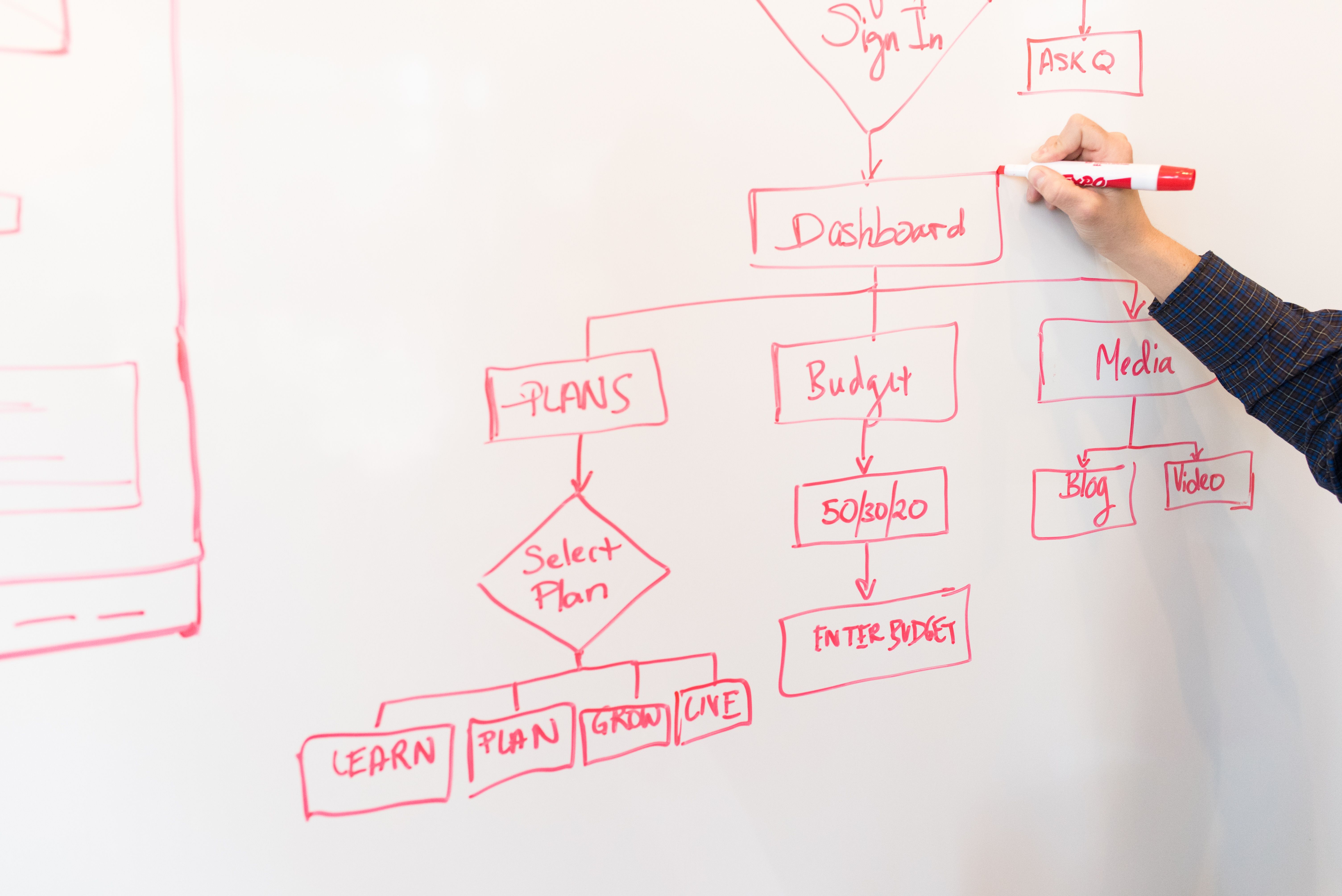
A practical guide to evaluating workflow automation software by the work it must move, the systems it must connect and the decisions that still need human control.
Most workflow automation projects begin with a software shortlist. That is understandable, but it puts the tool ahead of the work. A platform can offer forms, integrations, approvals and AI-assisted building and still leave people searching for context, checking duplicate records and chasing the next handoff.
The harder question is simpler: what should happen to a piece of work from the moment it arrives to the moment somebody approves, delivers or closes it?
That question changes how software should be evaluated. The strongest option is not necessarily the one with the longest feature list. It is the one that keeps information attached to the work, makes responsibility visible and gives the right people enough control to improve the process without weakening governance.
Map the work before comparing platforms
Start with one real workflow, not a generic diagram. Follow a request through its ordinary path and write down:
- where the request arrives;
- what information is needed before work can start;
- which systems hold the source records;
- where a person makes a decision;
- what evidence must be retained; and
- what happens when something is missing, late or unusual.
This exposes the gaps that software demonstrations tend to hide. A workflow may appear to be a simple sequence of forms and notifications, but the difficult parts are usually the boundaries between systems, the exceptions that do not fit a rule and the decisions that should never be made by an unattended process.
The map also gives the team a useful test case. Instead of asking whether a platform can create an approval, ask whether it can route the right request to the right person, preserve the supporting record and show why the approval happened.
Judge the platform on four practical tests
1. Can the people who own the process change it safely?
Business teams should not need a development queue for every wording change or routing adjustment. At the same time, unrestricted editing can create its own risk. Look for version history, review steps, permissions, test environments and a clear way to restore a known-good process.
The useful question is not whether a platform is no-code. It is who can make a change, who checks it, and how the organisation knows which version is running.
2. Does it connect to the systems that already matter?
Automation should reduce re-entry, not create another place where records become stale. Check how the platform connects to the CRM, finance system, document store, identity provider or operational database that already holds the authoritative information.
An integration is more than a connector icon. It needs defined ownership, error handling, field mapping and a plan for what happens when the other system is unavailable. If the workflow cannot explain which system is the source of truth, it is likely to produce duplicate work later.
3. Are rules and approvals visible?
Conditional routing is useful when its logic can be understood and reviewed. A person should be able to see why a request went to a particular queue, which rule was applied and what information was missing.
This matters in regulated or high-consequence work, but it is also good operational design. Transparent rules make troubleshooting faster, help new staff understand the process and prevent important decisions from being buried inside a series of opaque automations.
4. Does the cost grow with useful work?
Pricing that looks attractive for a pilot can become difficult to justify when more teams, approvers or external participants use the workflow. Compare the cost of a realistic operating model, not just the first implementation.
Include the people who will build, approve, administer and support the process. Include integration, storage, environments and future changes. A cheaper licence can be the more expensive choice if every adjustment requires specialist help.
Don't mix up automate movement with automate responsibility
Most organisations do not need software to make every decision. They need it to keep work moving around the decisions that people are qualified to make.
A well-bounded workflow can:
- capture information in a consistent form;
- create a record and assign an owner;
- check for required fields or documents;
- route work using explicit conditions;
- send reminders when a task is waiting;
- prepare a document from approved information;
- keep correspondence and evidence with the record; and
- show where work is waiting.
AI can help with classification, extraction, summarisation or drafting when the source material, output format and review point are defined. It should be treated as a component with a job, not as a reason to remove the controls around the job.
The boundary is important. The system can prepare a summary, but a person may need to decide whether it is accurate. It can suggest a route, but an authorised reviewer may need to approve an exception. It can identify a missing item, but it should not invent one to make the process look complete.
Use the workflow to make governance tangible
Governance becomes easier to maintain when it is part of the workflow rather than a document written beside it. For each important process, define:
- who can view and change each kind of record;
- which information may be sent to an external service;
- how the system records inputs, changes and approvals;
- which steps require a named human decision-maker;
- how failed integrations and incomplete submissions are surfaced; and
- how an old process version is retired or restored.
The same discipline applies to data storage. A platform may connect to an organisation's existing environment, or it may copy information into its own service. That distinction affects access, retention, investigation and the work required to satisfy internal or external review.
The aim is not to add ceremony to every small task. It is to make the important boundaries visible enough that a team can operate the workflow with confidence.
Test a shortlist with real work
Once the process is mapped, ask each shortlisted platform to demonstrate the same scenario. Use a normal request, a missing document, an approval that is rejected and an exception that needs a person.
Look for evidence that the platform can:
- accept the request without losing context;
- keep the authoritative record in the right system;
- show the rule or condition that moved the work;
- pause cleanly when a person needs to intervene;
- recover from a failed connection or incomplete submission; and
- expose a useful history of what happened.
Then ask the people who will own the workflow to make a small change. Add an approval, alter a notification or change the required information. The result will tell you more about maintainability than a polished demonstration made by someone who already knows the product.
Start with the bottleneck that people can name
The first workflow should be narrow enough to understand and important enough to matter. Good candidates include an intake process with repeated data entry, a document chase that regularly stalls work, a multi-step approval with poor visibility or a handoff that currently depends on one person's memory.
Before building, agree how the change will be judged. Measures might include time to first response, time spent preparing a case, the number of incomplete submissions, the age of waiting work or the amount of manual status reporting. The measure should describe the work, not the novelty of the technology.
After the first workflow is stable, extend it one boundary at a time. Connect the next system, add the next exception, or automate the next repeatable task only when the earlier path is understood. This makes it easier to see whether the process is improving and easier to stop when an automation would add more risk than value.
The useful question is not “which tool is best?”
Workflow automation software is only one part of a dependable operating system. The better question is whether the proposed combination of process, platform and controls can make work easier to follow without making responsibility harder to see.
Start with the one to three workflows that consume the most skilled staff time. Map the real path, test the exceptions and keep professional judgement at the points where context matters. The right software should make that work clearer, more connected and easier to improve.
Related: Workflow automation · Systems integration · Applied AI · Business operations
Value delivered
The right shortlist makes work easier to follow, keeps responsibility visible and gives teams a safer place to start.